

Last Updated on September 19, 2025 by Larious
Google AI Studio is a great free platform for exploring and experimenting with cutting-edge AI Models. With it, you can use Nano Banana, URL Context tool, generate high-quality text-to-speech, etc.
You can also access the Veo 2 video model for free in Google AI Studio. This allows you to create clips and animate images using generative video.
Table of Contents
Generating videos with Veo
Please note that video generation with Veo in AI Studio has a limited free quota for testing.
If you want to generate videos beyond the free limit or to integrate Veo in your projects, you need to use the Gemini API.
How to Generate Videos with Veo for free?
You will need a Google account to get started with creating AI videos. However, do note that AI Studio lets you generate only 10 clips on free accounts.
1. Open your favorite web browser and visit this webpage.
2. Sign in with your Google Account.
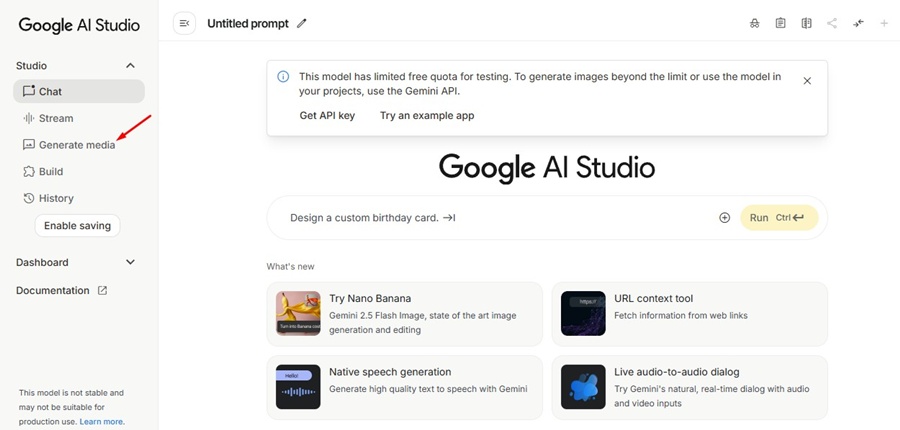
3. At the right side, switch to the Generate Media option.
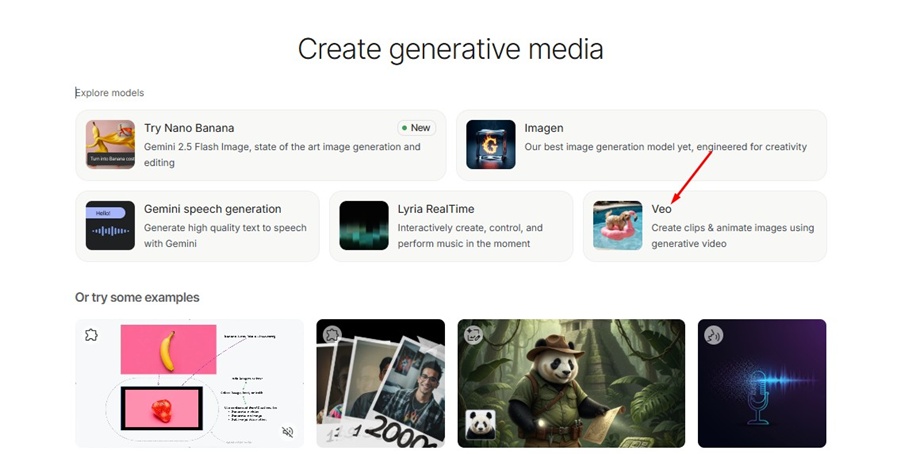
4. Wait for the models to load. Select Veo.
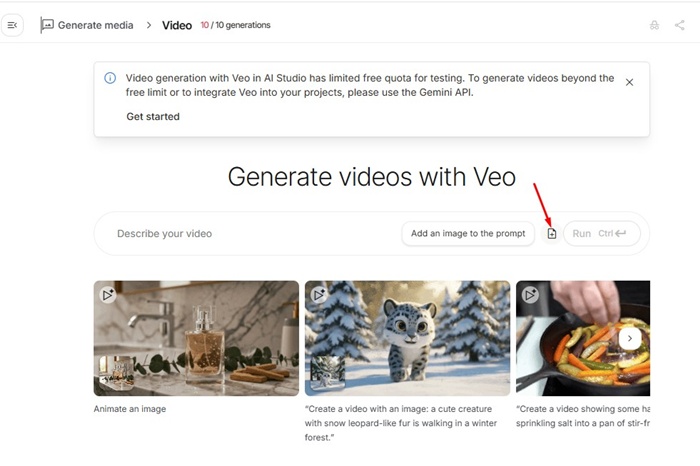
5. Now the Veo’s interface will load. You will have to describe your video and click Run.

6. If you want to turn an image into a video, click the attachment icon and select the image.
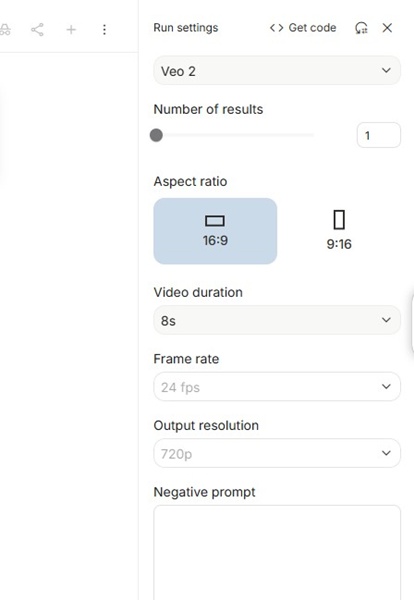
7. Enter the text prompt for the video and click Run. The AI tool also lets you select the Aspect Ratio, Video duration, Frame Rate, and Output resolution.
Since there’s a limited free quota for testing, plan your usage carefully. The exact reset time for the free video generation quota is currently unknown.
This guide explains how to generate videos with Veo for free using Google AI Studio. If you need more help with this topic, let us know in the comments.

