

Last Updated on November 9, 2026 by Larious
Instagram just launched its video editing app for Mac users. Yes, you read that right: Instagram Edits has now arrived on macOS to give users its video editing experience beyond smartphones.
Like the mobile app, the macOS app offers a range of advanced video editing features. It has everything a content creator would need for more flexibility and control while producing Reels and other videos.
Table of Contents
What is Instagram’s Edit for Mac?
Instagram’s Edits app for Mac is basically a video editing app that lets creators work on their video projects requiring more editing controls and a larger workspace than the mobile app.
The Mac version of Instagram’s Edits has several features available on the phone app, with additional desktop-focused editing tools.
Basically, if you are a content creator, the Instagram Edits app is all you need to create amazing reels or other videos. It has a multi-track timeline, supports keyframes, audio waveforms, etc.
It also has tools for splitting, cutting, and trimming videos, along with colour wheels, log versions, and curves for color grading. The video editing app also got AI agent support.
Download Instagram Edits app for Mac
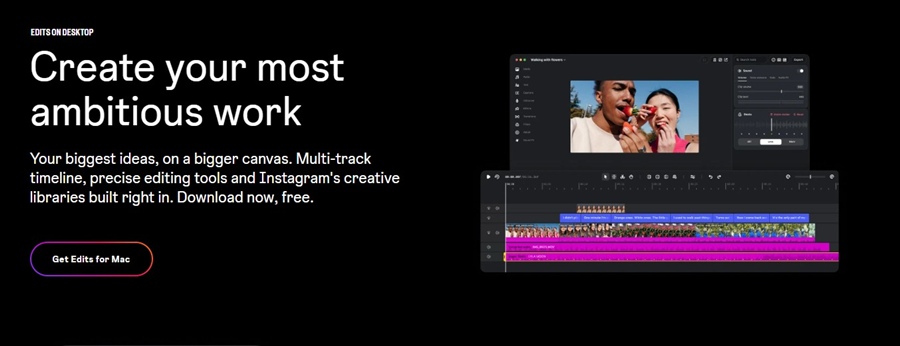
Instagram announced Edits for Mac on November 5, 2026. Right now, there’s no Windows version available, but it’s expected to be available soon.
Also, users need an Apple Silicon Mac (M1 or later) to use the video editing app. Those who have compatible hardware can use the Instagram Edits app on their Mac by signing in to their Instagram app.
Instagram’s Edits app is completely free; the exported videos won’t have any watermark. So, you can export in 4K with no watermark and share your video anywhere.
Features of Instagram’s Edits app for Mac
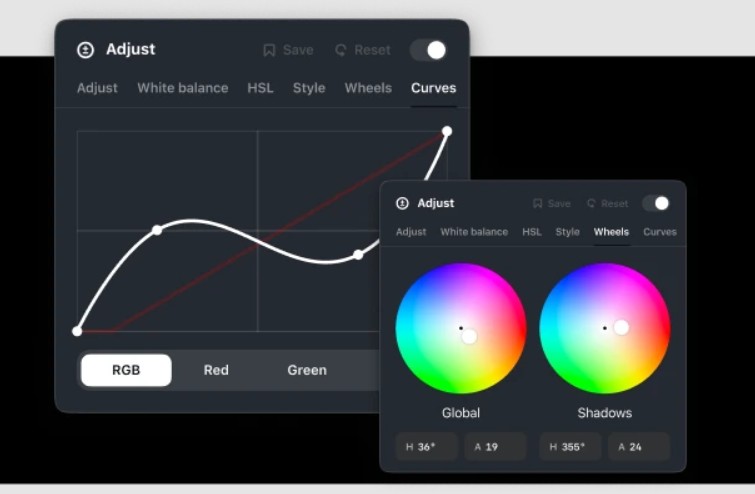
Advanced Tool for Precise Editing:
The app brings many advanced tools that will ease the video editing process. You get features like a multi-track timeline with keyframes, dynamic transitions, audio waveforms, color wheels, and curves for a finished grade.
Full Creative Studio:
The app gives you access to Instagram’s licensed and royalty-free audio libraries. You can even import your own LUTs and font files, and generate unlimited automatic captions.
4K Exports
One of the most noticeable features of the app is the 4K exports. The app lets you export videos in 4K without any watermark. This allows creators to produce high-resolution videos at ease.
So, what’s your take on Instagram’s Edits for Mac? Do you find the new video editing tool useful? Share your views with us in the comments.

