

Last Updated on August 16, 2025 by Larious
Recently, WhatsApp got a bunch of new features that make group calls easier to plan and more interactive.
Table of Contents
The new features of WhatsApp
The latest version of the WhatsApp app allows you to schedule calls and invite people or groups to join in advance.
Also, the call management features let you see and manage all your upcoming calls right within the Calls tab.
It also introduced new ways to express yourself on group calls. Now you can raise your hand to indicate you would like to speak, or send a reaction to take part without interrupting.
How to Use Call Scheduling on WhatsApp?
The call scheduling options are available right on the Calls tab of WhatsApp. You can schedule a call and invite individuals or groups, and share call links.
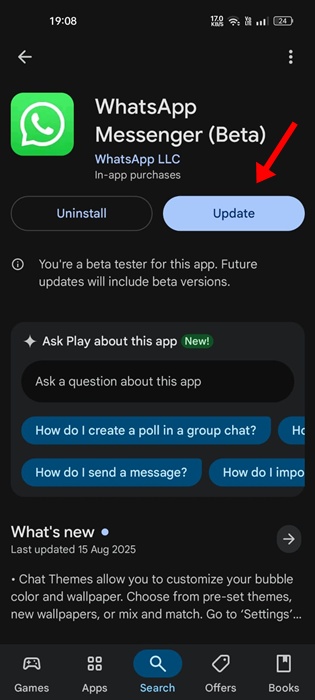
1. Update the WhatsApp app from the Google Play Store.
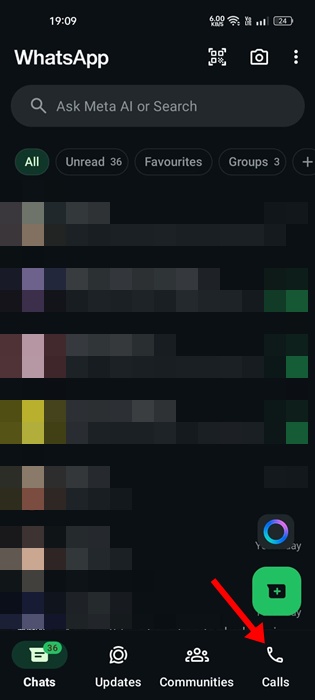
2. After updating the app, open it and switch to the Calls tab.
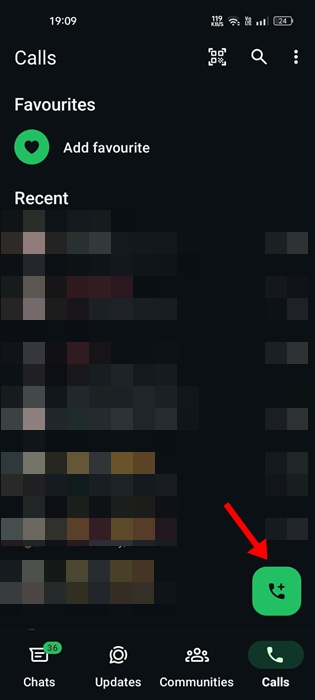
3. Tap the (+) button.
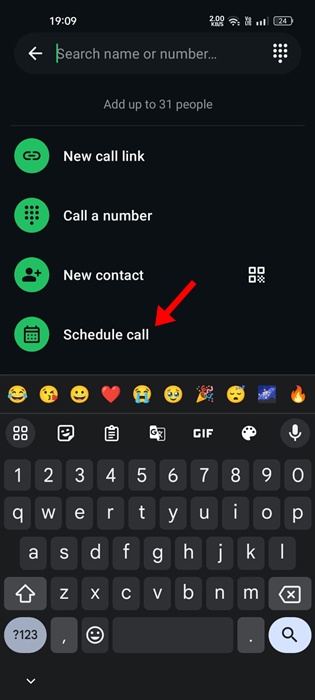
4. On the next screen, select Schedule Calls.
5. Choose the date and time, invite individuals or groups, and share the call links.
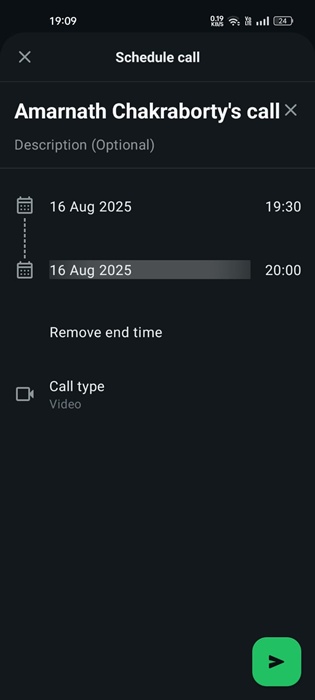
6. The scheduled calls will appear in the Calls tab alongside details.
The Call links also got an upgrade. Now, as a call link creator, you will receive notifications when someone joins the call.
This guide explains how to use the new Call Scheduling feature of WhatsApp. If you need more help on this topic, let us know in the comments.

