

Last Updated on October 22, 2026 by Larious
Reputation-Based Protection is a very useful security feature introduced by Microsoft in its Windows Security app. This is a feature that protects your PC from unwanted software installation & hackers who might try to get into your PC without your consent. If you do not use any third-party security program, the feature may already be enabled, but if not, it is easy to set up.
Table of Contents
What does Reputation-based protection do?
Reputation-based protection is basically a feature of Windows Security that brings many useful security features. Here’s what it does.
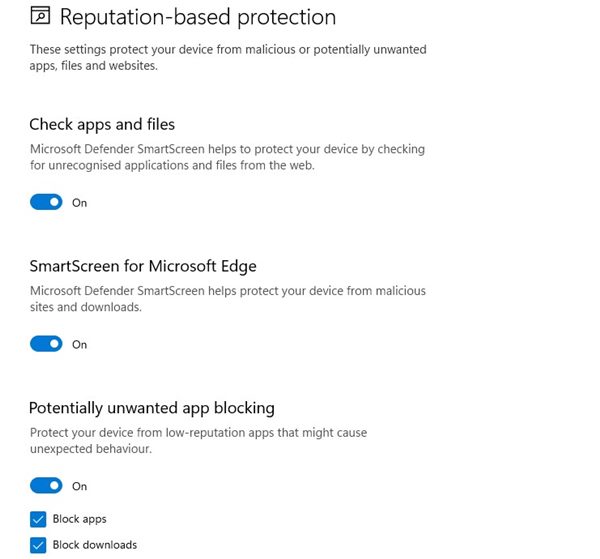
Check Apps and Files: This forces the Microsoft Defender SmartScreen feature to check for unrecognized apps and files from the web.
SmartScreen for Microsoft Edge: This one helps protect your device from malicious sites and downloads.
Potentially unwanted app blocking: This feature protects your device from low-reputation apps that might cause unexpected behavior.
SmartScreen for Microsoft Store Apps: This one protects your device by checking the web content that Microsoft Store apps use.
Steps to Enable Reputation-Based Protection in Windows 11
You should enable Reputation-Based protection on Windows 11 to protect your device from malicious or potentially unwanted apps, files, and websites.
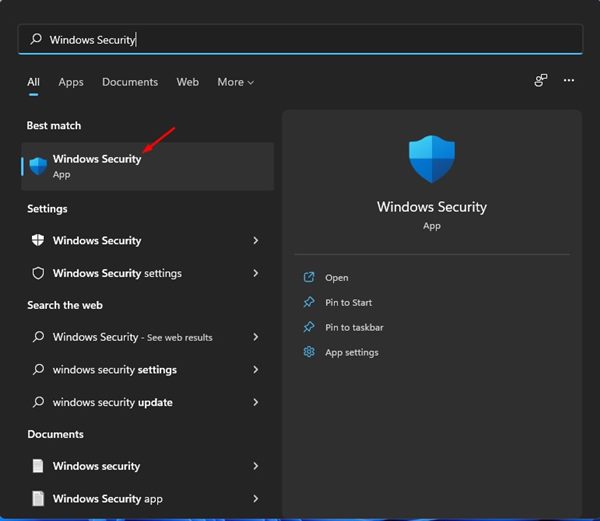
1. Open the Windows 11 search and type in Windows Security. Next, open Windows Security from the search results.
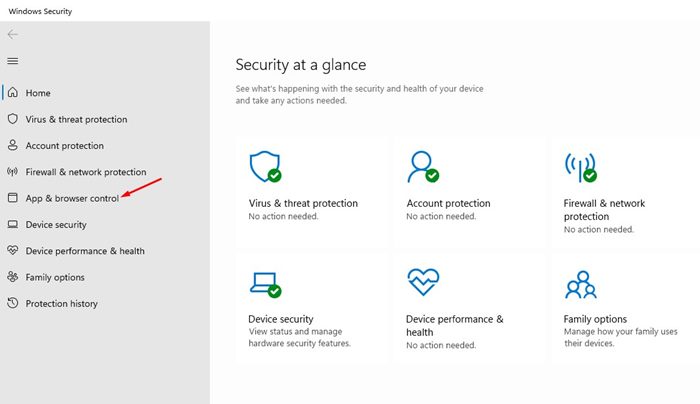
2. In Windows Security, click on the App & Browser Control option.
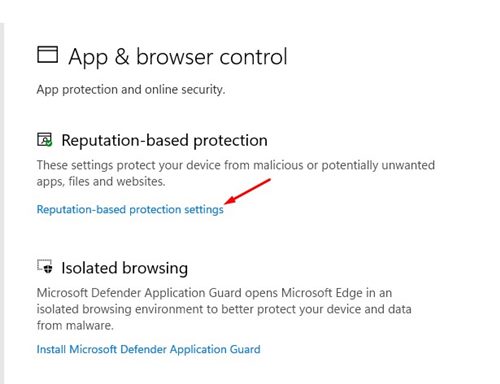
3. At the top, click on the Reputation-based protection Settings link as shown in the screenshot below.
4. You will find several options on the next screen. You need to turn on all options to enable Reputation-based protection.
Reputation-based protection is a handy feature of Windows Security. You can enable this feature to protect your device from various security threats. I hope this article helped you! Please share it with your friends also.

