

Last Updated on October 26, 2026 by Larious
ClickLock is a very simple feature that allows users to lock down the primary mouse button after a single click. In simple terms, the feature lets you select or move items without holding down the primary mouse button.
You can enable this feature if you want to drag objects, select text, or open menus without holding down the primary mouse button. You need to press the primary mouse button once to release the hold.
Table of Contents
Steps to Enable Mouse ClickLock in Windows 11
Now that you know what ClickLock is and what it does, it’s time to know how to enable the feature.
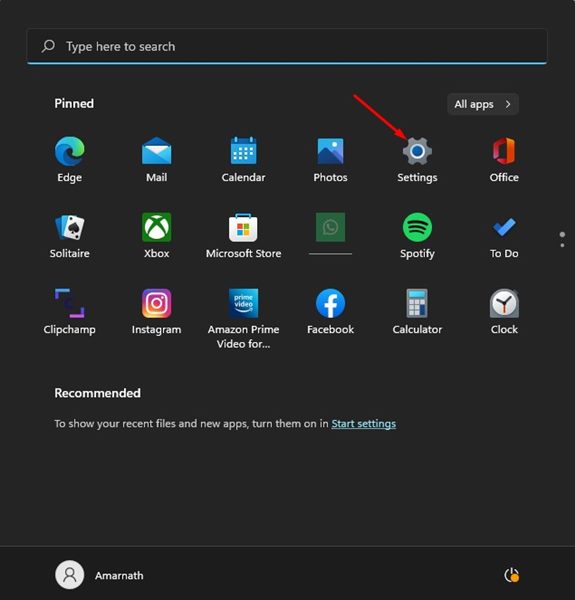
1. Click on the Windows 11 Start button and select Settings.
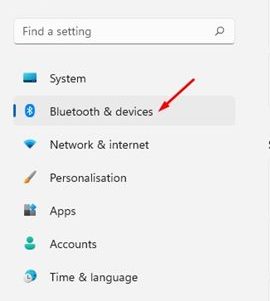
2. In the Settings app, click on the Bluetooth & devices option.
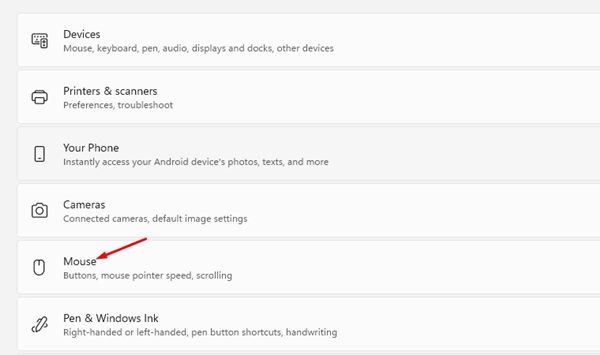
3. In the Right pane, scroll down and click on Mouse.
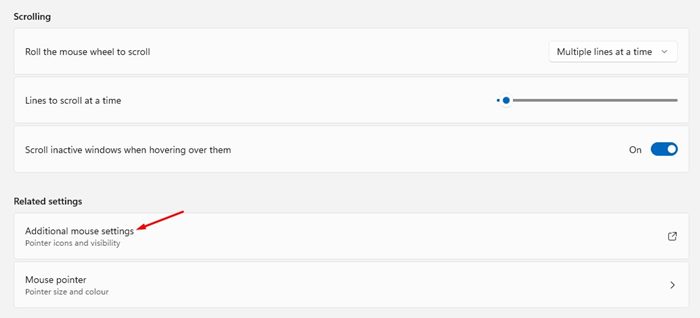
4. Scroll down and select the Additional mouse settings option.
5. This will open the Mouse Properties Window. You need to check ‘Turn on ClickLock’ to enable the feature.
After enabling the feature, briefly press the primary mouse button to lock on an item. To release the lock from an item, click on the Primary mouse button once. You will now be able to drag the item anywhere without pressing any mouse button.
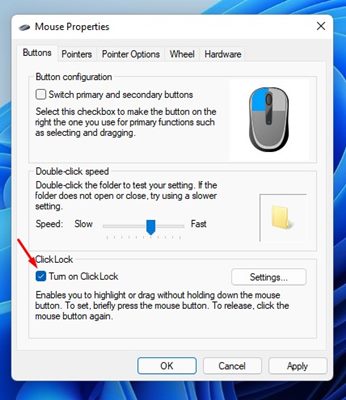
6. If you wish to disable the feature, uncheck Turn on ClickLock.
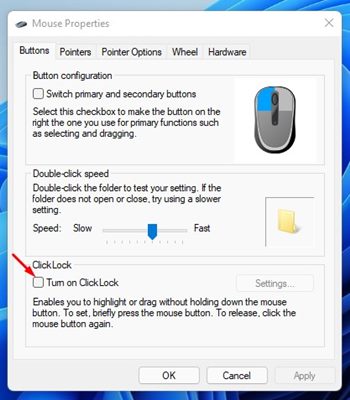
7. To apply the changes, click on the Apply button and then on Ok.
How to Customize the ClickLock Settings?
Windows 11 allows you to adjust how long you need to hold down a mouse button before your click is locked. Here’s how to adjust that setting.
1. Open Settings > Bluetooth & Devices > Mouse.
2. On the next page, scroll down and click on the Additional Mouse Settings.
3. On the Mouse Properties Window, click on the Settings button beside Turn on ClickLock.
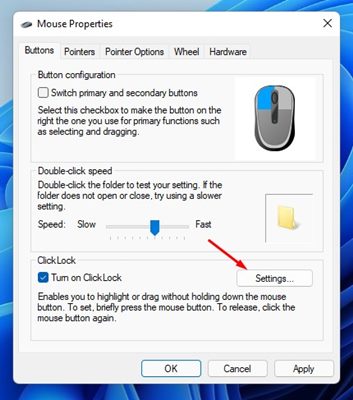
4. On the Settings for ClickLock, adjust the duration for the ClickLock and click on the Ok button.
That’s all about enabling or disabling the ClickLock feature of Windows 11. The feature could be convenient for those who have difficulty operating a mouse. This will also improve the productivity level of users who often drag items or move things around.

