

Last Updated on July 24, 2026 by Larious
Google knows your account holds crucial information, and that’s why it suggests setting up multiple sign-in methods for security. Recently, Google added a new way to sign in – Selfie Video.
Table of Contents
Selfie Video on Google Account
Selfie Video is basically a new way to get into your Google account. It gives you an additional option if you’re ever locked out or don’t have access to your phone or computer.
Instead of using your phone/computer to log in, you can just select the Selfie video option to gain access to your account.
But to use this feature, you will have to set it up first. Setting up includes recording an initial selfie video, in which you look at your device’s camera and complete setting up the selfie video.
Once you set it up, you can log into your Google account with a selfie video. And more importantly, you can delete the saved selfie video at any time from your Google account. According to Google, the selfie video is ‘encrypted at rest’, which means it’s securely stored even when you’re not using it.
How to Log into Google Account with a Selfie Video
Well, the selfie video feature is just rolling out. So, it may take a few more days or weeks to reach everyone. To see if your account is eligible, follow these simple steps.
1. Open your favorite web browser from either your mobile or your computer, then click on this link.
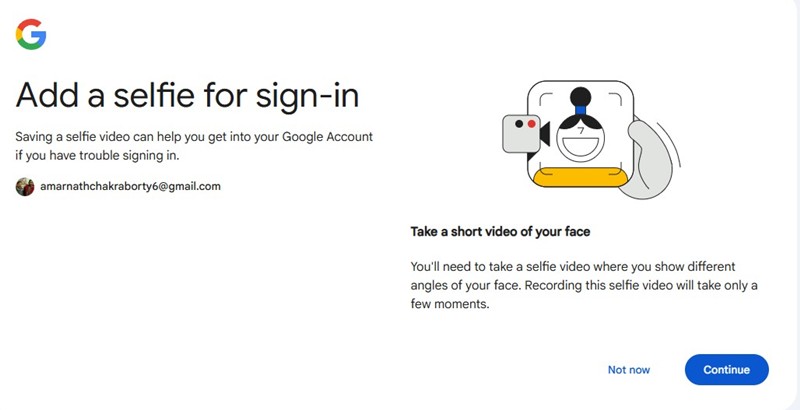
2. If your account is eligible, you will be asked to add a selfie for sign-in. Tap on Continue.
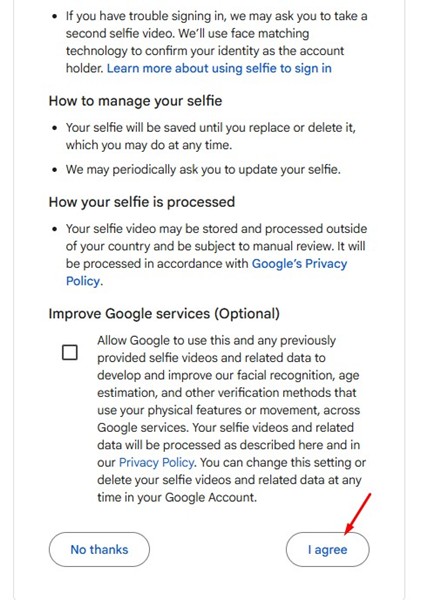
3. Next, agree to the terms and conditions.
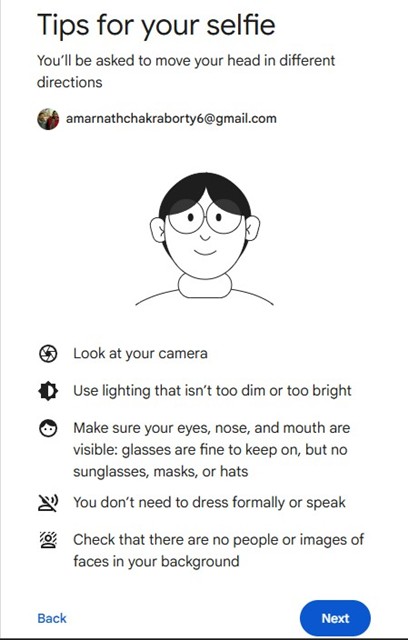
4. Now you will be given tips for your selfie. Simply complete the process and register your selfie video.
5. Once you’re done, you can now sign in to your Google account with the selfie video.
If you don’t see the Selfie video option, you need to wait for a few more days or weeks.
This feature will be very useful, especially if you have a habit of forgetting your password. You can delete the saved selfie video at any time from your Google Account, or register a new one. If you want more information about this new feature, check out this webpage.
So, this guide explains the selfie video sign-in feature for secure account recovery. If you need more help in setting up this new feature, let us know in the comments. Also, if you find this guide helpful, share it with your friends.

