

Last Updated on October 25, 2026 by Larious
Knowing your network card’s actual speed helps you confirm whether the adapter is performing to its technical specifications and can also help you diagnose a few internet performance issues.
Additionally, if you are planning to upgrade your internet plan, knowing the maximum speed of the network adapter will help you determine whether you can utilize the maximum speed & bandwidth.
Whatever network card your PC uses, if you are using Windows 11, you can confirm the link speed by following these methods.
Table of Contents
1. Check Network Adapter Speed via Settings
We will use the Windows 11 Settings app to check the Network adapter speed in this method.
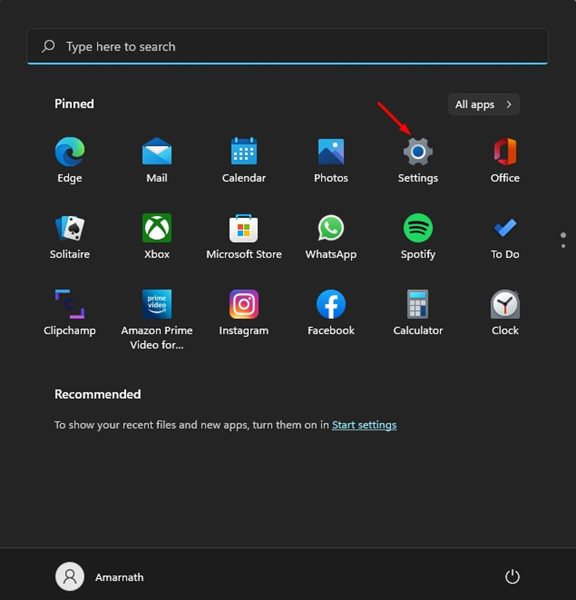
1. Click on the Windows 11 Start button and select Settings.
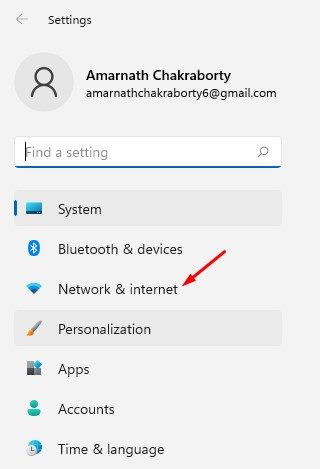
2. Click on the Network & Internet option below.
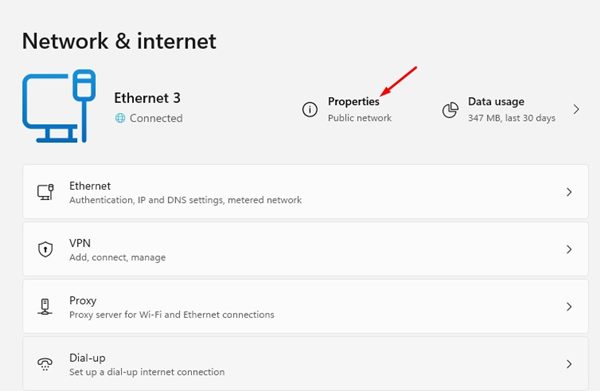
3. Click on the Properties option under the connected network on the right pane.
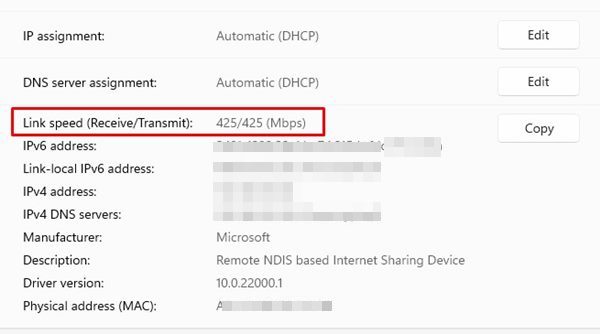
4. Look at the Link Speed (Receive/Transmit) information. This displays the current network adapter connection speed.
2. Check Network Card Speed via Control Panel
We will use the Windows 11 Control Panel to check the network card speed in this method.
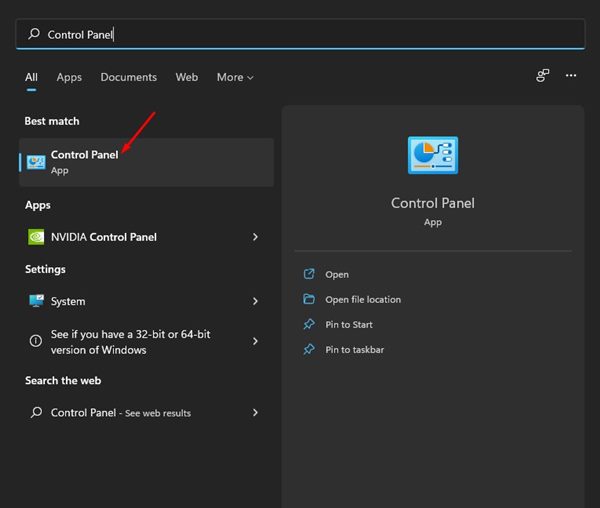
1. Open Windows 11 Search and type in Control Panel.
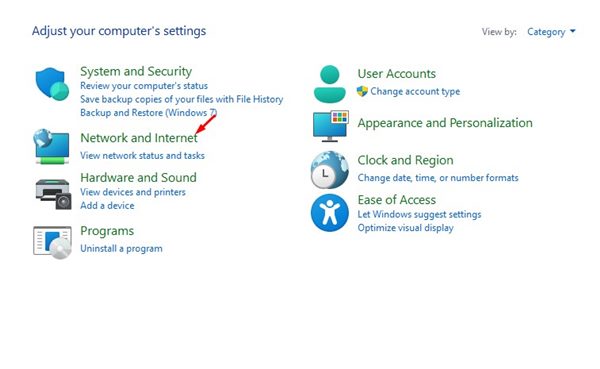
2. Click on Network and Internet.
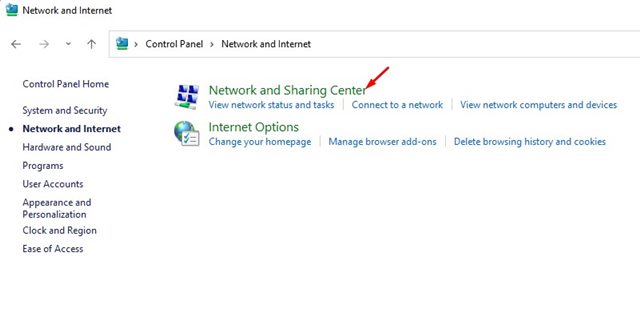
3. Click on the Network and Sharing Center on the next screen.
4. On the left, click on Change Adapter Settings.
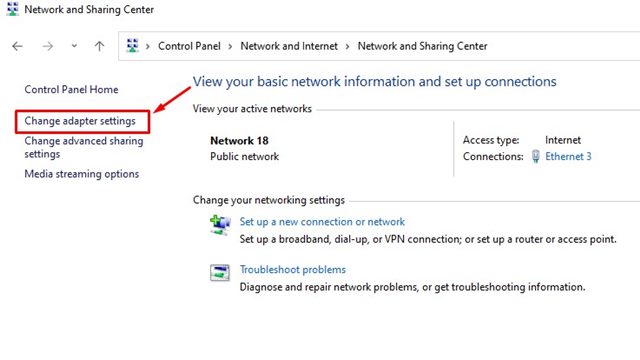
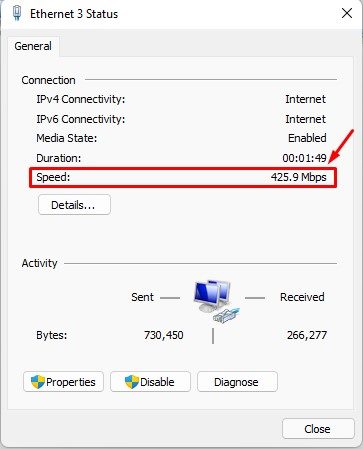
5. Double-click on the WiFi or Ethernet Network Adapter Card. This will show you the status; check the Speed information.
3. Check Network Card Speed via CMD
We will use the Command Prompt to check the Network card speed in this method.
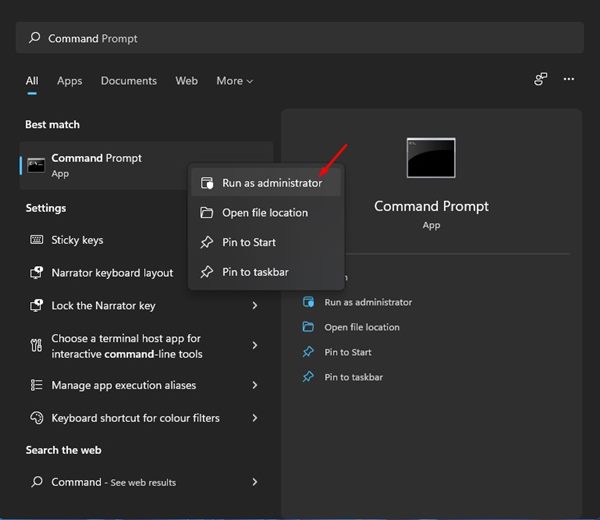
1. Open the Windows 11 search and type in CMD. Right-click on CMD and select Run as administrator.
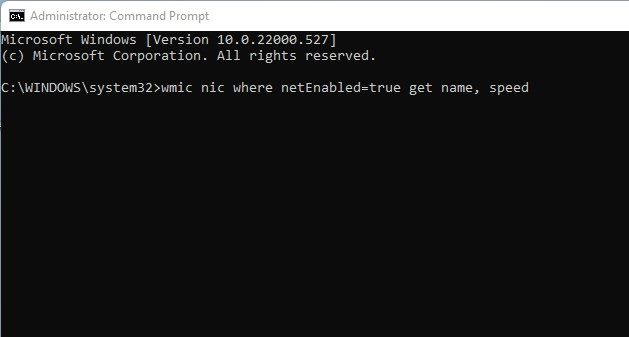
2. On the Command Prompt, enter the command:
wmic nic where netEnabled=true get name, speed
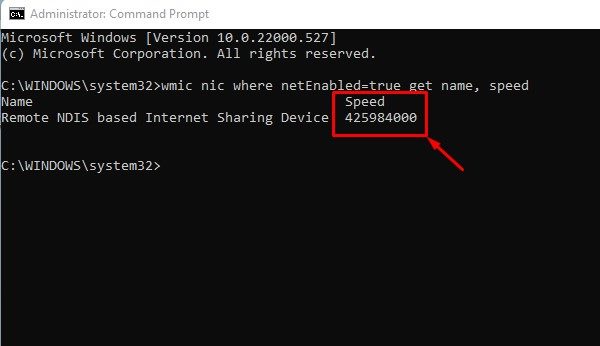
3. You need to note down the Speed figure specified behind the network card name.
There are other ways to check Network card speed on Windows, but most require third-party app installation. The methods we have shared in this guide also work on the Windows 10 operating system.
Knowing the network adapter connection speed could be helpful, especially while troubleshooting network issues. I hope this article helped you! Please share it with your friends also. If you have any doubts about this, let us know in the comment box below.

