

Last Updated on July 15, 2026 by Larious
Many YouTube users who have kept their watch history paused for years are now being prompted to turn it back on. If you’ve seen the screen that tells you ‘Your watch history is paused’, you’re not alone.
Table of Contents
Why does this screen appear?
The “Your watch history is paused” screen typically appears on accounts where watch history has been disabled for a long time.
The watch history on YouTube is used to generate personalized recommendations. And when it’s disabled, the platform suggests videos and channels based on your likes, saves, and subscriptions.
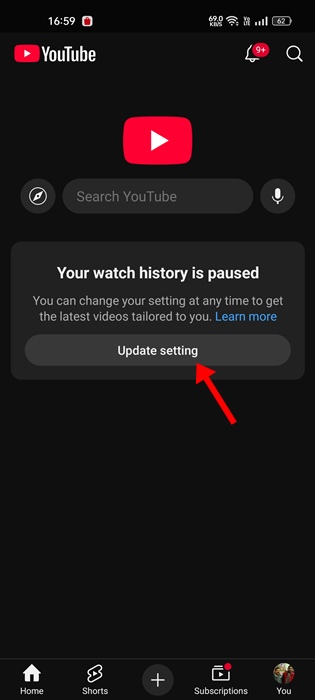
So, the feature worked well until now. But, recently, many users have reported that their recommendations have disappeared from the YouTube homepage. The homepage just shows the ‘Your watch history is paused’ screen along with an option to Update Setting.
How to Start Getting the Recommendations on YouTube?
The easiest way to start getting the YouTube recommendations is to turn on the Watch history. But if you want to keep the history turned off for privacy reasons, there’s a workaround for it, too.
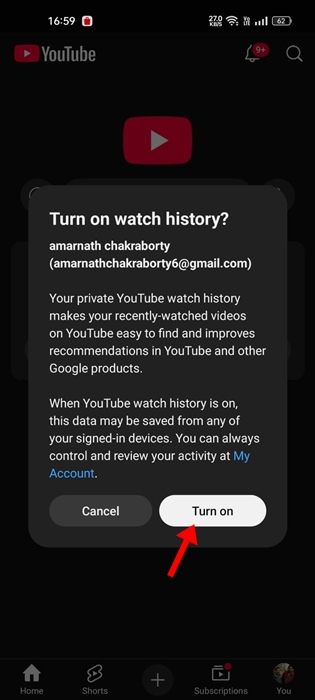
So, basically, you need to click on the Update Settings and turn on the Watch History. Once enabled, you need to perform 4-5 searches, and then turn it off again.
1. Open the YouTube app or website. Then, tap on Update Setting.
2. Next, tap on Turn on.
3. Now, you need to perform 5-6 searches.
4. Once done, move to the home screen and refresh the feed. This will bring back the recommendations.
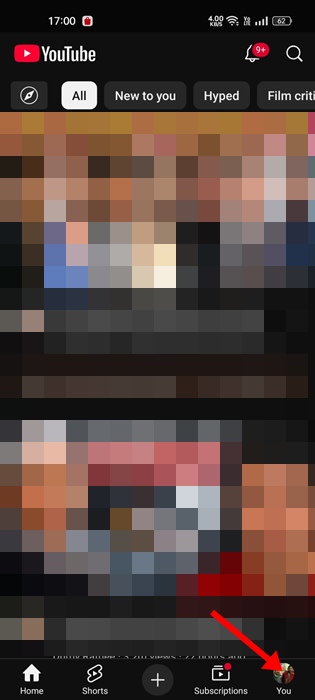
5. To pause the Watch History, tap on your profile picture at the bottom right corner.
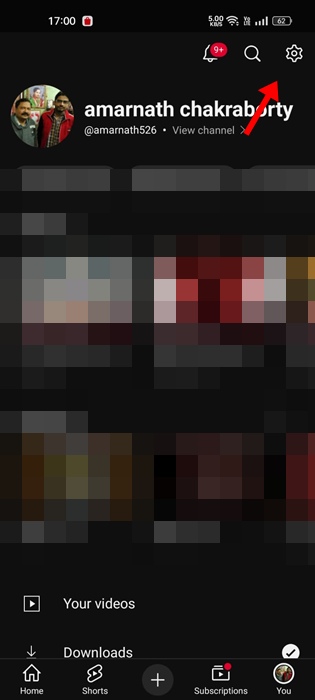
6. Tap the Settings gear icon at the top right corner.
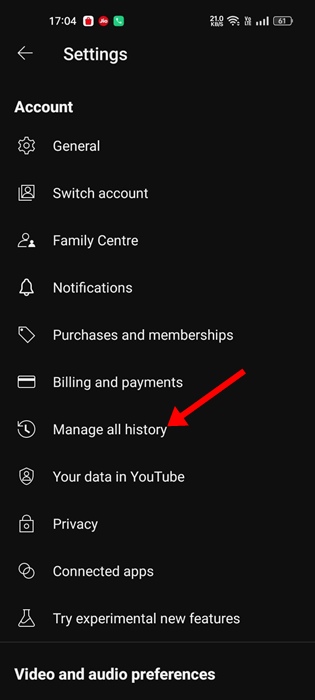
7. On the Settings, tap on Manage all history.
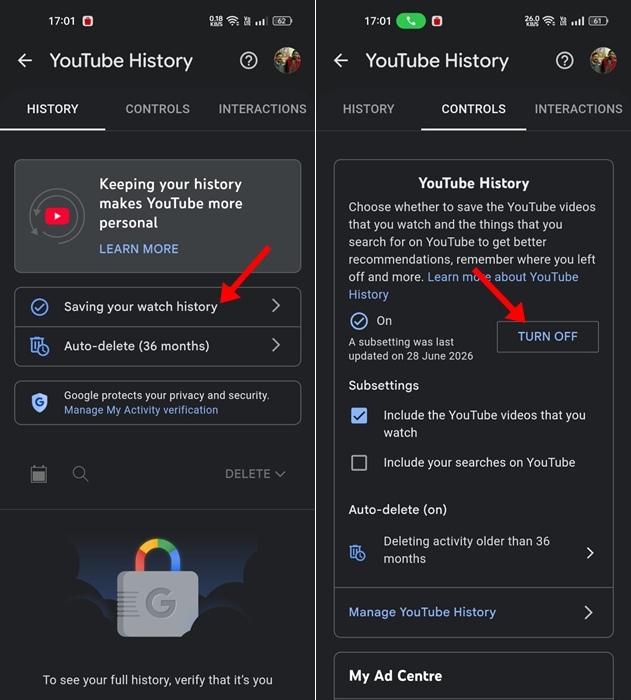
8. Next, tap on Saving your watch history > Turn Off.
9. On the confirmation prompt, tap Pause.
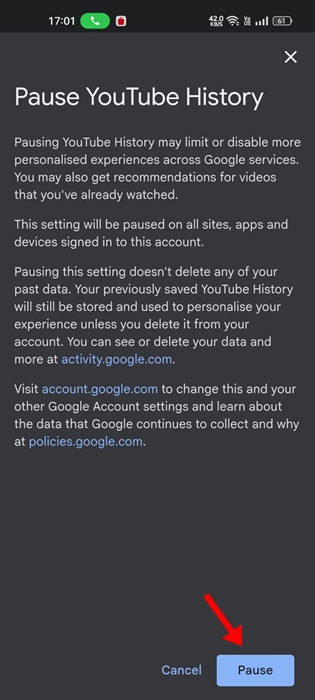
This will pause your YouTube Watch history. But you will get the YouTube recommendations back.
This guide explains how to fix the ‘Watch history is paused’ screen on the YouTube app. If you need more help in this topic, let us know in the comments.

