

Last Updated on July 15, 2026 by Larious
Google is continuously adding new features to YouTube Shorts. Now, it has taken feedback from millions of users, and now, it’s rolling out new features to YouTube Shorts.
We are going to discuss the new features of YouTube Shorts that you may either enjoy right now or over the upcoming weeks. So, let’s check out what’s new in the YouTube Shorts upgrade.
Table of Contents
1) The Clear Screen Mode
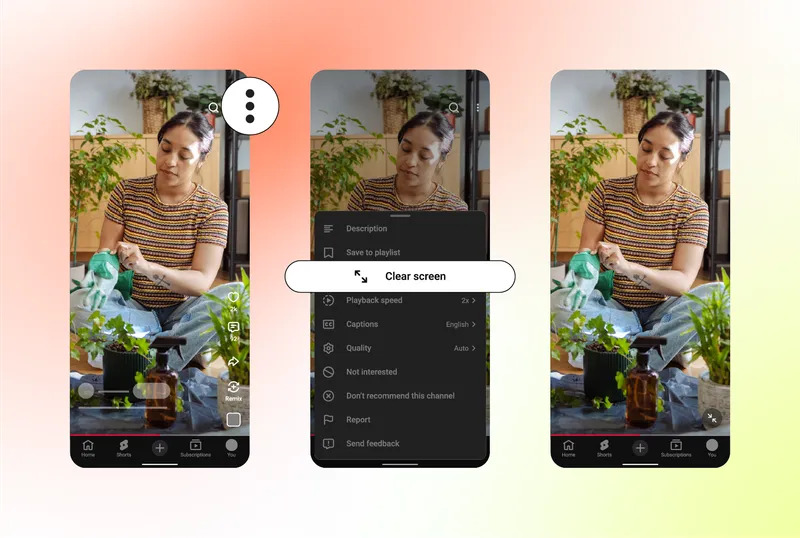
On YouTube Shorts, you will get a new Clear Screen mode that will temporarily hide all icons and text from your playback view.
This feature could be immensely helpful since it will give you an immersive, distraction-free view of the videos.
It hides on-screen buttons, icons, and captions to provide a cleaner viewing experience.
2) The new Heart icon
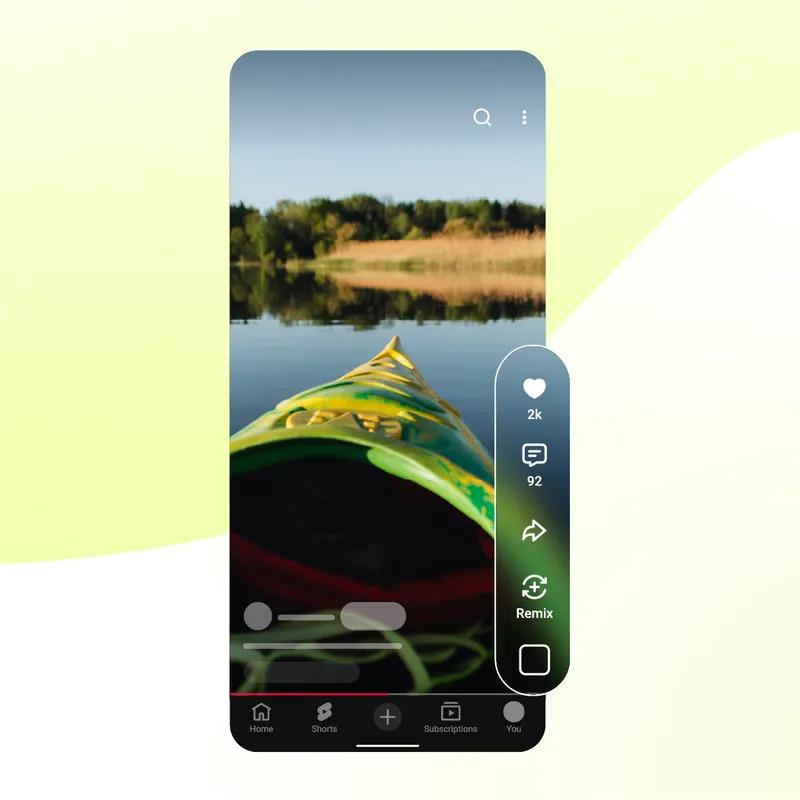
Well, YouTube is retiring the old ‘Dislike’ button from the Shorts player to create a clean interface. YouTube planned to remove it because the dislike button didn’t provide enough information for its recommendation algorithm to understand why a viewer disliked a video.
And the thumbs up button, originally referred to as ‘Like’ is now replaced by a heart icon. So, if you didn’t like a video, the only option you have is marking the video as ‘Not interested’ and ‘Don’t recommend this channel’.
3) Shorts Playback Speed Control
It’s one of the most highly requested community features added to YouTube Shorts. Basically, you can now play the Shorts at double speed.
Just tap and hold on a short, then drag down to lock 2x for the rest of the clip. Also, users can now easily pause the video by tapping the screen and then tapping the mute icon to silence the audio.
New features aren’t appearing?
Well, the new YouTube features like the Clear mode, new playback speed, the heart icon, etc are rolling out in phases. So, it may take a few weeks to reach every user worldwide.
Meanwhile, you can try a few things to get the features early. Here’s what you should do to get those features:
- Update the YouTube app from the Google Play Store/Apple App Store.
- Turn on the YouTube watch history.
- Clear the App Cache and Data.
- Verify the Feature eligibility.
These are the three new features that YouTube Shorts is about to get. So, what’s your take on these new features? Let us know in the comments. Also, if you find this guide helpful, please share it with your friends.

