

Last Updated on May 18, 2026 by Larious
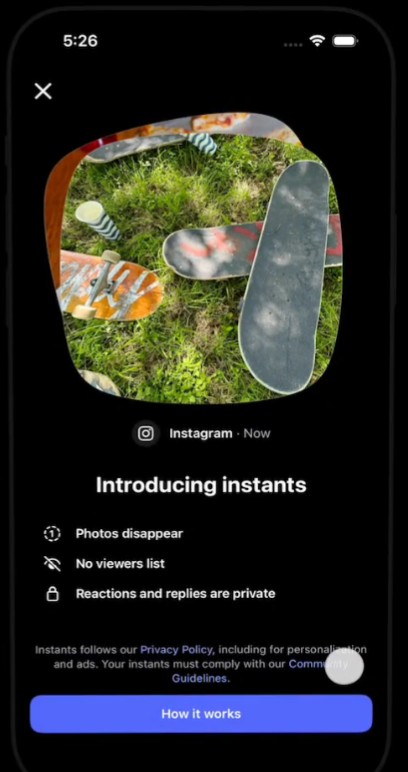
It looked like Instagram just launched a new way to share photos with friends. The popular photo-sharing platform has introduced “Instants”, a feature that allows users to share disappearing photos with friends.
Table of Contents
What is Instagram Instants?
The new feature lets you share everyday photos that automatically disappear once your friends view them. The feature appears in Instagram’s inbox, allowing you to share disappearing photos with specific friends or followers.
On Instagram Instants, the photos you share automatically disappear, there’s no viewers list, and all reactions and replies are private.
Also, for every Instant share, you also get an undo button to spare you from regrets.
How to Use Instagram Instants?
To use the new Instants feature, you will have to update the Instagram app from the Google Play Store or Apple App Store. Once updated, follow these steps.
- Open the Instagram inbox and tap the mini stack of photos in the bottom-right corner.
- You will see the camera opening up. Select with whom you want to share the Instants.
- Capture the photo (Remember you can’t edit instants).
- Once done, tap the white button below the camera to share it.
- You will also get an undo button in case you want to take it back.
If you don’t see this new feature, you will have to wait for a few more days or weeks.
How to Turn Off Instants?
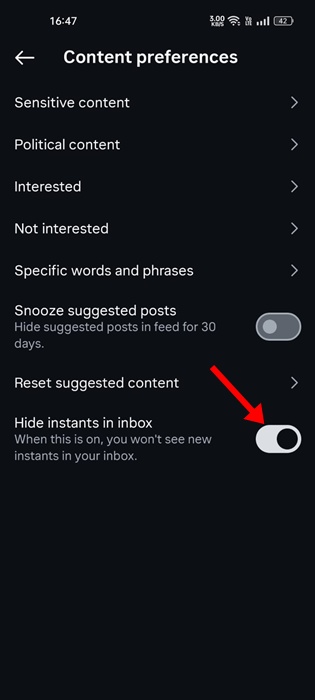
If you aren’t a fan of Instants appearing in your Instagram DM, you can turn them off easily. Here’s how to turn them off.
- Open the Instagram app and go to your profile.
- Tap the three lines to open the Settings.
- Scroll down and tap Content Preferences.
- Enable the toggle for ‘Hide instants in inbox’
This guide explains how to use Instagram Instants. What’s your take on this new feature from Instagram? Let us know in the comments.

