

Last Updated on July 31, 2026 by Larious
Meta has been continuously improving WhatsApp with new features and updates. Now WhatsApp has announced several new calling features to make voice and video calls more convenient across different devices.
Meta rolled out a new update, and it now allows users to make and receive audio and video calls, both one-on-one and group, directly from WhatsApp Web. Yes, you read that right. You no longer need to download the WhatsApp desktop app on your PC or laptop to make calls; it can be done from WhatsApp Web directly.
Table of Contents
WhatsApp Introduces Web Calling
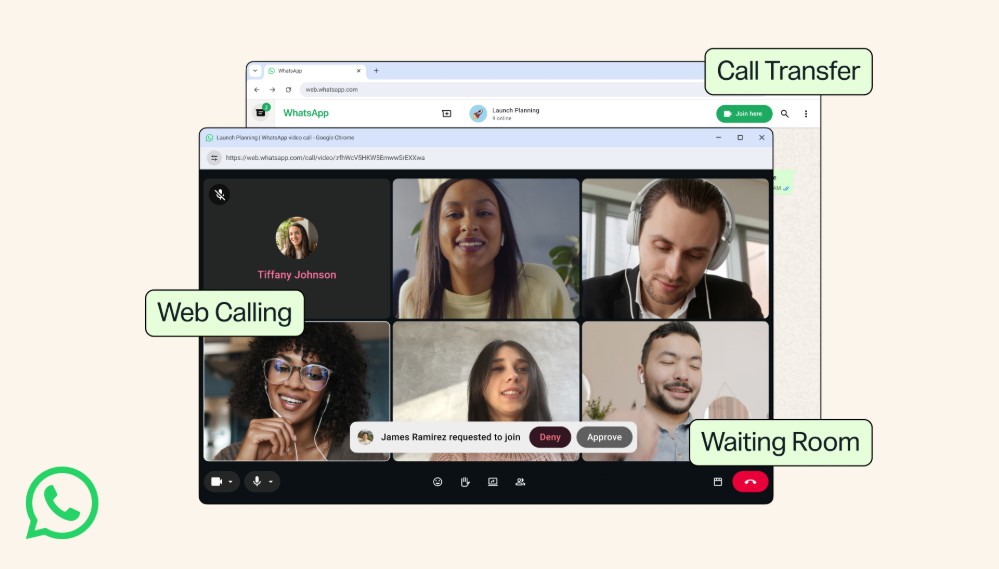
Now that WhatsApp Web supports both audio and video calls, you no longer need to switch devices to make/receive calls. You can do it directly from your web browser. Also, there’s a feature that lets you transfer active calls between devices.
You will also have access to features available on your other devices, like screen sharing, reactions, and a dedicated Calls tab with your full call history on the WhatsApp Web version.
And yes, like other WhatsApp calls, web calls remain end-to-end encrypted and are available at no extra cost.
Other New Features in WhatsApp
Apart from bringing audio and video calling to WhatsApp Web, the latest update also introduces several new calling features. Here are all of them.
- Calling directly from WhatsApp Web.
- Transferring calls between devices.
- Instant HD Video – Quick HD.
- Noise suppression to remove background noise from the voice.
- A waiting room for group calls.
So, basically, these features are meant to make WhatsApp calls easier and more convenient. With QuickHD, participants can enjoy high-definition video within the first few seconds of a call.
How to Access the New WhatsApp Web Features?
Since WhatsApp Web works on a web browser and doesn’t require downloading anything, you need to head to web.whatsapp.com and sign in by linking your WhatsApp account from your phone.
According to WhatsApp, these new calling features are gradually rolling out and will be available to all users within a few weeks. It’s right now available for most people; you can go and check it on WhatsApp Web. If you didn’t find the calling options, wait for a few more days or weeks.
- Open web.whatsapp.com
- Link your WhatsApp account.
- Open the chat where you want to make the call.
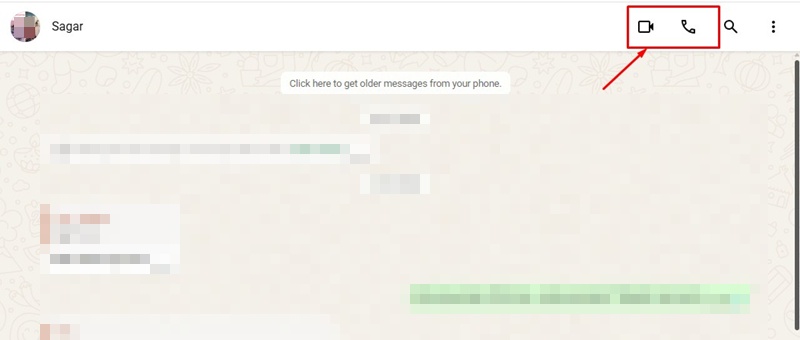
- Click the Voice or Video call icon at the top-right corner. This will start the call.
So, these are some new features that were added to WhatsApp Web. What do you think of these new calling options? Let us know in the comments. Also, if you find this article helpful, share it with your friends.

